Use case
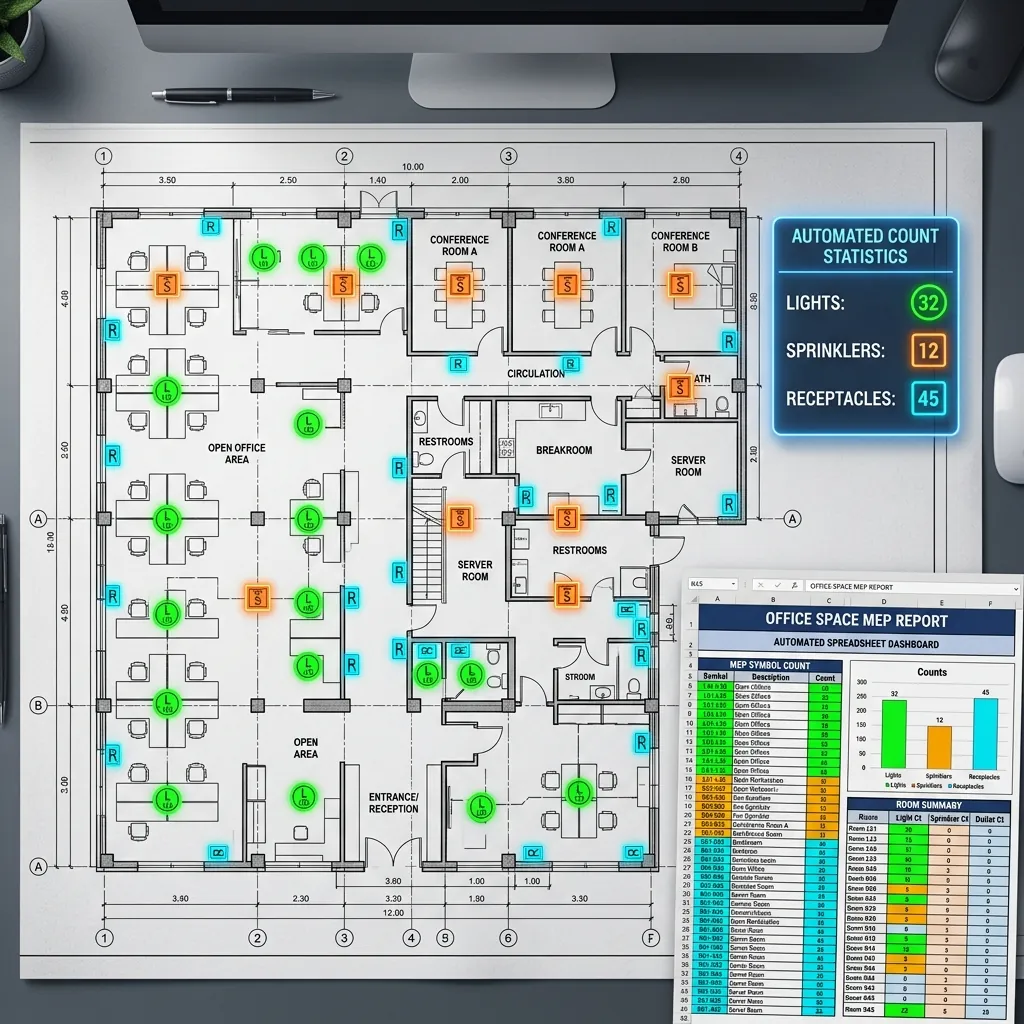
Quantity extraction, traceable to the sheet
Why it is awkward
The part that is not obvious
What comes back
- Counts by element type, broken down per room
- Linear metres for wall runs, skirting and joinery
- Areas by room and by finish where hatching distinguishes them
- A source reference on every figure
- CSV or Excel in your existing takeoff structure
How it is read
From line art to a record
- Stage 1
Calibrate every sheet
Scale is established per sheet rather than per set, because a set routinely mixes scales and one wrong calibration puts a plausible but wrong number into an estimate. A sheet whose scale cannot be established is flagged, not measured.Scale per sheet - Stage 2
Classify the elements
Detected geometry is mapped to your element classes — the distinctions your estimators actually price against, which are rarely the ones the drawing makes visually.Elements in your own classes - Stage 3
Measure at drawing scale
Counts, linear runs and areas are computed from the geometry rather than estimated by eye, and areas are split by finish where hatching distinguishes them.Counts, lengths and areas - Stage 4
Aggregate, keeping the trail
Figures are totalled per room, per sheet and per set, and every one keeps a reference back to the detection it came from — which is what lets a disputed number be checked without re-measuring the set.Your takeoff template, populated
The output
What lands in your system
| Field | What it contains |
|---|---|
| quantities[].element | The class it was counted as, in your own naming |
| quantities[].unit | Each, linear metres, square metres — whichever your template expects |
| quantities[].value | The measured figure at drawing scale |
| quantities[].room | The space it was measured in, so totals can be broken down rather than only trusted |
| quantities[].source | Sheet, location and detection reference for the figure |
| export | CSV or your existing Excel takeoff template, populated in place |
Where it goes wrong
The cases worth knowing about first
A total nobody can check
A single number is easy to produce and impossible to verify, so the first disagreement sends someone back to the drawings to re-measure everything. Keeping the per-room breakdown and the source reference is what makes the output usable on a real bid.
Two things drawn identically
Drawings routinely render elements that price very differently in exactly the same way. Where the sheet carries no distinction, no model can invent one — the mapping is agreed with your estimators and the ambiguous cases are flagged.
Quantities that are not on the drawing
Items that live in the specification, the preambles or someone's head are not recoverable from a plan. Takeoff automation measures what was drawn, and the gap between that and a priced bill stays a human job.
What fine-tuning on your drawings adds
Start here
See it on a sheet of your own
- Counts by element type, broken down per room
- Linear metres for wall runs, skirting and joinery
- Areas by room and by finish where hatching distinguishes them
Send us one sheet
We run it through our floor plan models and send back the extracted data with an annotated overlay, so you can see what comes off your own drawings before anyone books a call.
- Back in about 2 business days
- PDF, DXF or a scan
- NDA on request
FAQ
Questions on this one
Minutes rather than the hours or days the same measuring takes by hand, on sheets the models have been tuned for. Reviewing the output is still real work, and should be — the saving is in the measuring, not the checking.
Yes, that is the normal delivery. We map the output to the template your estimators already use rather than asking them to adopt a new format.
Get in touch
Tell us what is on your drawings
Describe the sheets you get and what you need off them. We will tell you what our models already handle, what needs fine-tuning on your drawings, and what is not worth automating at all.
- Reply time
- Within 1 business day
Would rather show than tell? Send one sheet for a free analysis