Drawing sets
A hundred sheets, read as one set
- Title block and sheet indexing
- Plan views matched to schedules
- Revision-to-revision comparison
Why it is hard
The information you want is split across sheets on purpose
Sheet identity
Title block read for sheet number, name, discipline, scale and revision, so each sheet is handled as what it is.Schedule tables
Grid structure recovered from ruled or unruled tables, then read row by row into records.Cross-sheet links
Tags on plan views matched to their rows on the schedules, surfacing what appears on one and not the other.Revisions
Two issues of a sheet aligned and compared, reported as elements added, removed and moved.
How it runs
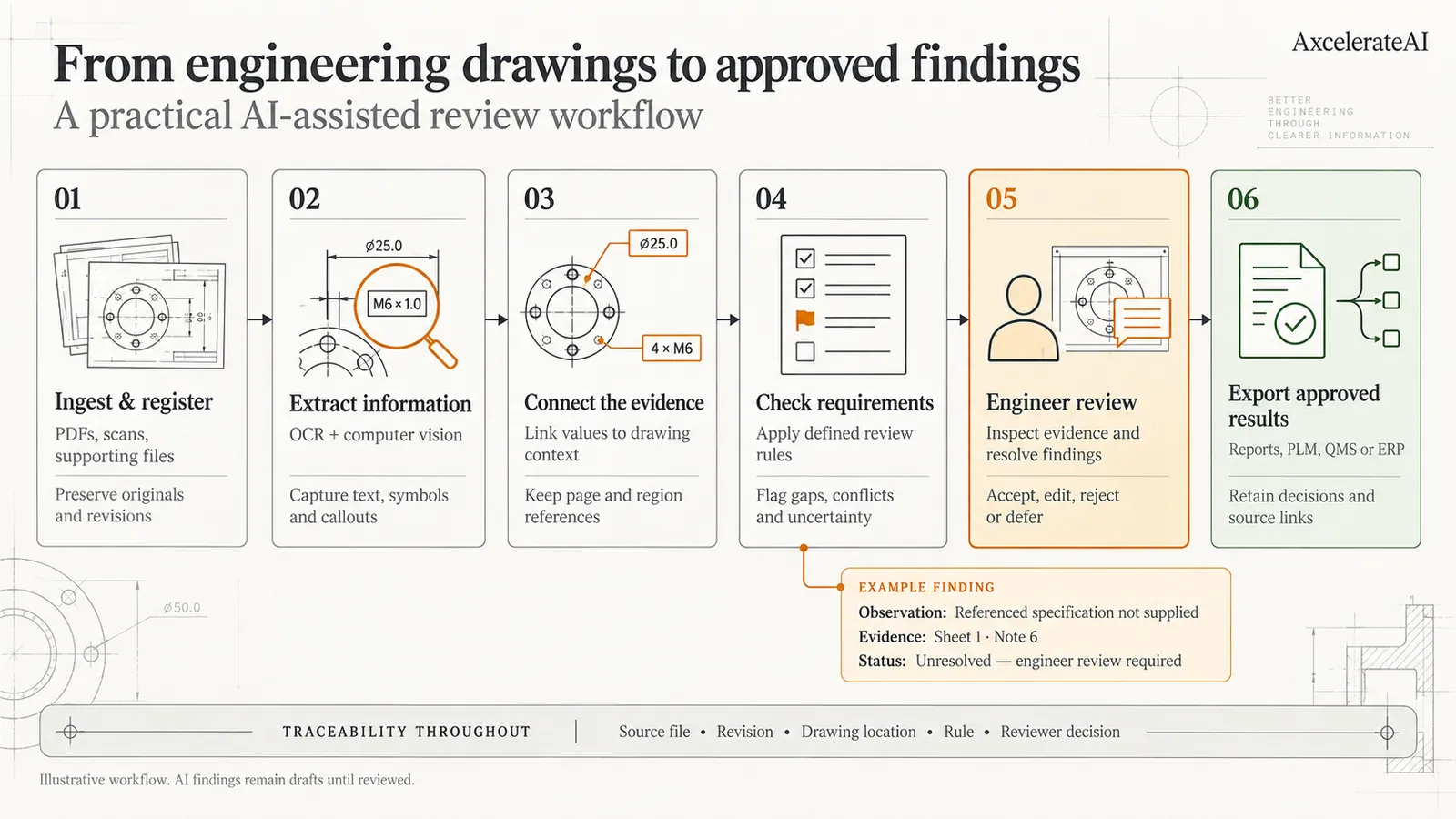
Specialist models, chained
- Stage 1
Split and index the set
Each sheet is separated, its title block read, and its type inferred — plan view, elevation, schedule, detail — so the right models run on it.Sheet index with numbers and types - Stage 2
Read every sheet in its own way
Plan views go through detection and segmentation; schedule sheets go through table structure recovery and cell-level OCR.Per-sheet structured records - Stage 3
Reconcile across the set
Tags detected on plans are matched to schedule rows by tag and by proximity, and mismatches are listed rather than resolved silently.Matched records and a discrepancy list - Stage 4
Compare against the previous issue
Where an earlier revision exists, sheets are aligned and differences reported element by element instead of as a visual diff.Change list per sheet
What comes back
Data, with a trail back to the sheet
- A sheet index with number, title, discipline and revision
- Schedule rows as records, linked to the tags on the plan views
- A discrepancy list where plan and schedule disagree
- A per-sheet change list between two revisions
- Overlays showing where every value was read
This is our base model — already trained on floor plans, not yet on yours. For a project it is fine-tuned on your drawings, against a target you set, on the fields you actually use. How fine-tuning works.
Start here
See it on a drawing of your own
- One sheet is enough — PDF, DXF or a scan
- Back in about 2 business days, with an annotated overlay
- No call required, NDA on request
Send us one sheet
We run it through our floor plan models and send back the extracted data with an annotated overlay, so you can see what comes off your own drawings before anyone books a call.
- Back in about 2 business days
- PDF, DXF or a scan
- NDA on request
FAQ
Questions, answered
Sheets are processed independently and then consolidated, so set size is a question of runtime rather than feasibility. What actually limits things is consistency: a set drawn by one office over one period is far easier than a refurbishment package assembled from four sources across twenty years.
No, and deliberately. We surface them with both sides and their locations. Deciding which is right is a judgement about the project, and it belongs to the person who is accountable for it.
Often, yes. Older drawings bring their own problems — hand lettering, blueprint-negative scans, dimensions that have faded. It is exactly the case where the free analysis is worth doing before anyone commits to a project.
Get in touch
Tell us what is on your drawings
Describe the sheets you get and what you need off them. We will tell you what our models already handle, what needs fine-tuning on your drawings, and what is not worth automating at all.
- Reply time
- Within 1 business day
Would rather show than tell? Send one sheet for a free analysis