Use case
Symbol extraction, matched to the schedule
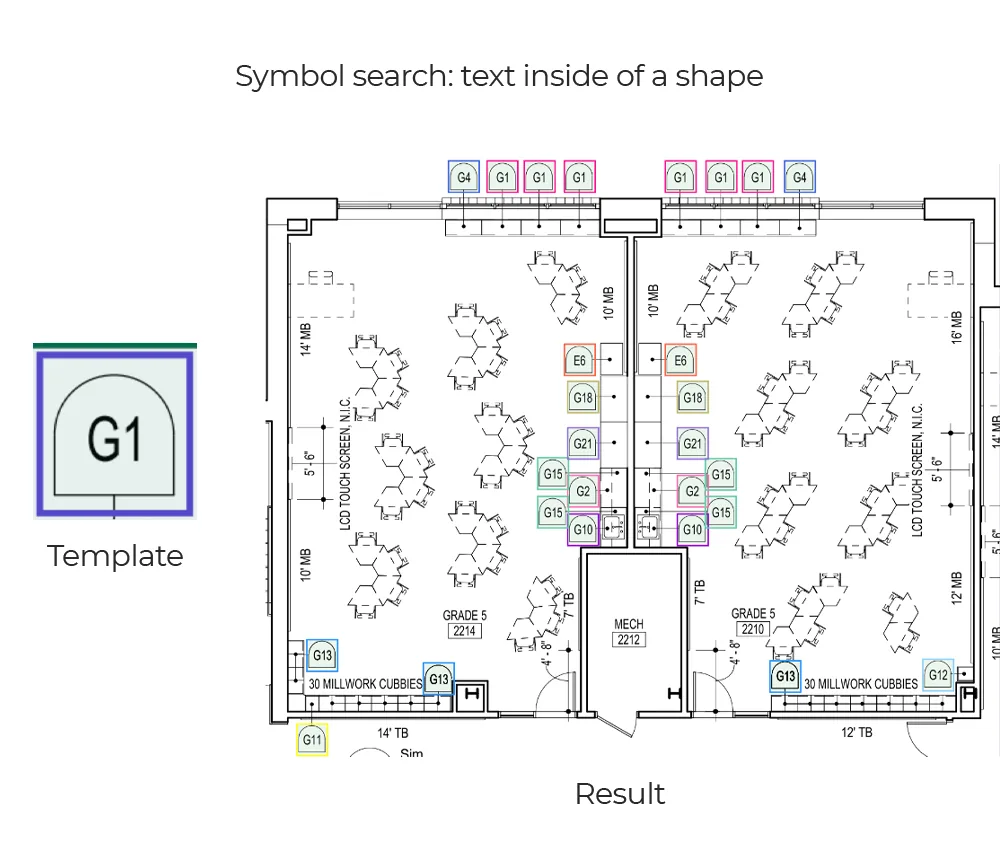
Why it is awkward
The part that is not obvious
What comes back
- Every match with its position and confidence
- Counts per room, per sheet and per set
- The tag text read alongside each symbol
- Schedule rows parsed from the table sheets
- Symbols and rows matched, with both kinds of mismatch listed
How it is read
From line art to a record
- Stage 1
Take the template
One instance of the symbol — from the legend, or pointed at on a sheet — becomes the template. A single example is enough to judge feasibility, which is what makes this the cheapest use case to test on your own drawings.A template from your legend - Stage 2
Search the set
The template is matched across every sheet and across the view scales within a sheet, since the same symbol is drawn smaller in an enlarged detail than on the general arrangement.Candidate matches with confidence - Stage 3
Read the tag beside it
Most symbols carry a reference next to them, frequently rotated and often abbreviated. Reading it is what turns a count into something that can be reconciled with anything else.Symbols with their references - Stage 4
Recover the schedule and match
The table sheets that describe these symbols are read into rows, then matched to the detections. Symbols with no row and rows with no symbol are both listed, because both are errors somebody needs to see.Counts, rows and the mismatches between them
The output
What lands in your system
| Field | What it contains |
|---|---|
| symbols[].class | Which template it matched, using your own legend names |
| symbols[].position | Location on the sheet, and the room polygon it falls inside |
| symbols[].confidence | Match confidence, so a threshold can gate what reaches your users |
| symbols[].tag | Reference text read beside the symbol |
| counts | Totals per room, per sheet and per set, with the breakdown kept rather than collapsed |
| mismatches[] | Symbols with no schedule row, and schedule rows with no symbol on any sheet |
Where it goes wrong
The cases worth knowing about first
Symbols sitting on hatching
A symbol drawn over a hatched floor finish shares line weight and spacing with the hatch behind it, which is exactly the case template matching handles worst. Hatch regions are recognised separately so they can be subtracted first.
Scale changes within a sheet
An enlarged plan or a detail bubble draws the same symbol at a different size. Matching runs at several scales, and a symbol counted once on the general arrangement and again in the detail is a double count worth catching deliberately.
Symbols clipped at the edge
Matches cut off by a sheet border, a match line or a viewport boundary lose part of the shape. They come back as low-confidence detections for review rather than being dropped, because a missing count is harder to notice than a doubtful one.
What fine-tuning on your drawings adds
Start here
See it on a sheet of your own
- Every match with its position and confidence
- Counts per room, per sheet and per set
- The tag text read alongside each symbol
Send us one sheet
We run it through our floor plan models and send back the extracted data with an annotated overlay, so you can see what comes off your own drawings before anyone books a call.
- Back in about 2 business days
- PDF, DXF or a scan
- NDA on request
FAQ
Questions on this one
Template matching gets a useful way there from a single example, which is enough to judge feasibility. Reliable counting across a varied set needs tuning on labelled instances — typically tens rather than thousands.
Yes. Table structure is recovered even where the table has no ruled lines, and each row becomes a record that can be matched against the symbols found on the plan views.
Get in touch
Tell us what is on your drawings
Describe the sheets you get and what you need off them. We will tell you what our models already handle, what needs fine-tuning on your drawings, and what is not worth automating at all.
- Reply time
- Within 1 business day
Would rather show than tell? Send one sheet for a free analysis