Estimating
Window schedules off scanned sheets
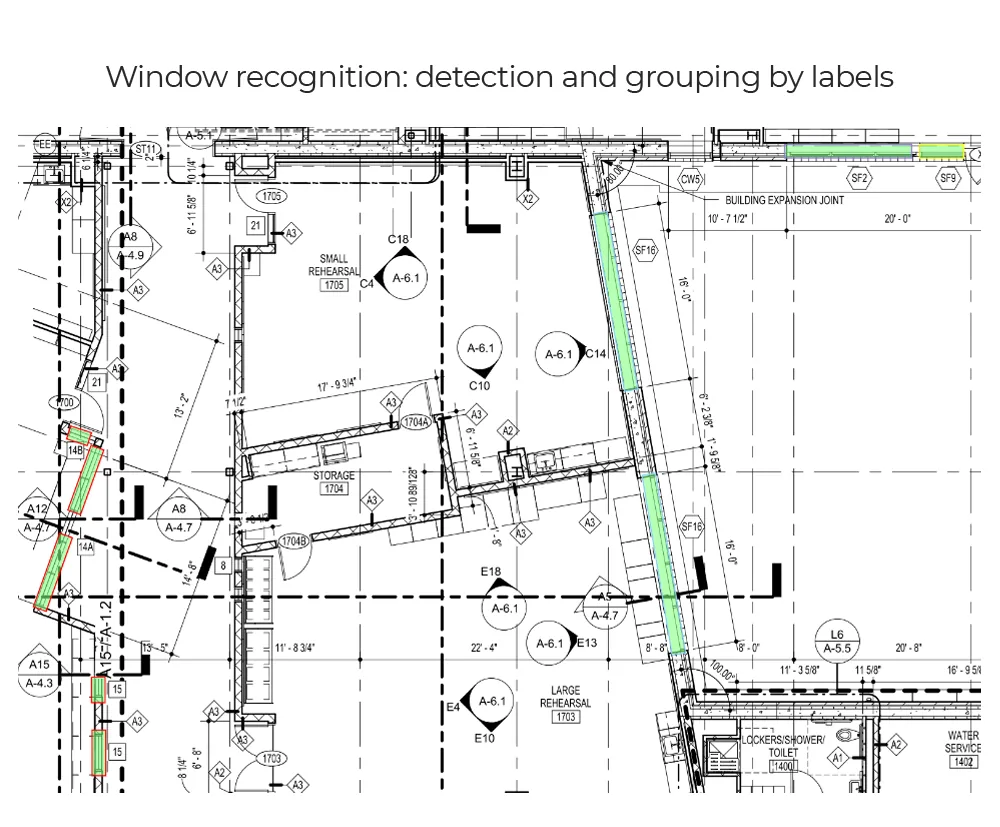
The problem they had
Their schedule sheets arrived as scans with text rotated ninety degrees, trade abbreviations no dictionary contains, and dimension callouts split across lines. Off-the-shelf OCR returned fragments, so the work stayed manual and specification errors made it onto bids.
What came in
High-resolution scanned schedule sheets, 300 DPI TIFF and PDF.
What went out
A CSV of window records with parsed dimensions, plus the same data through a service endpoint.
What we built
- Deskewing and orientation handling per text region
- OCR tuned on their lettering and abbreviation set
- Schedule grid detection on tables with inconsistent ruling
- A dimension parser normalising stacked callouts into numeric values
What changed
- Rotated schedule text read reliably enough to replace manual transcription on their sheet stock
- Dimension strings parsed into numbers rather than left as text for someone to retype
- The transcription step, previously a source of specification errors on bids, stopped being done by hand
Where it stopped
Tuned to their sheets and their abbreviations. Another glazing firm's schedules would need their own tuning pass — which is the general case, not an exception.
Start here
Your drawings are not these drawings
- One sheet is enough — PDF, DXF or a scan
- Back in about 2 business days, with an annotated overlay
- No call required, NDA on request
Send us one sheet
We run it through our floor plan models and send back the extracted data with an annotated overlay, so you can see what comes off your own drawings before anyone books a call.
- Back in about 2 business days
- PDF, DXF or a scan
- NDA on request
Get in touch
Tell us what is on your drawings
Describe the sheets you get and what you need off them. We will tell you what our models already handle, what needs fine-tuning on your drawings, and what is not worth automating at all.
- Reply time
- Within 1 business day
Would rather show than tell? Send one sheet for a free analysis